Daily cost tracking for civil engineering

Know what your project is costing — today, not next month.

DCT-OS turns the dockets piling up on your desk into live project costs. Enter the day's plant, labour and materials in seconds, reconcile rates when the invoice lands, and always know where the budget stands. Built by engineers, for engineers.

Runs on your own computer · Your data stays with you · Free for internal use
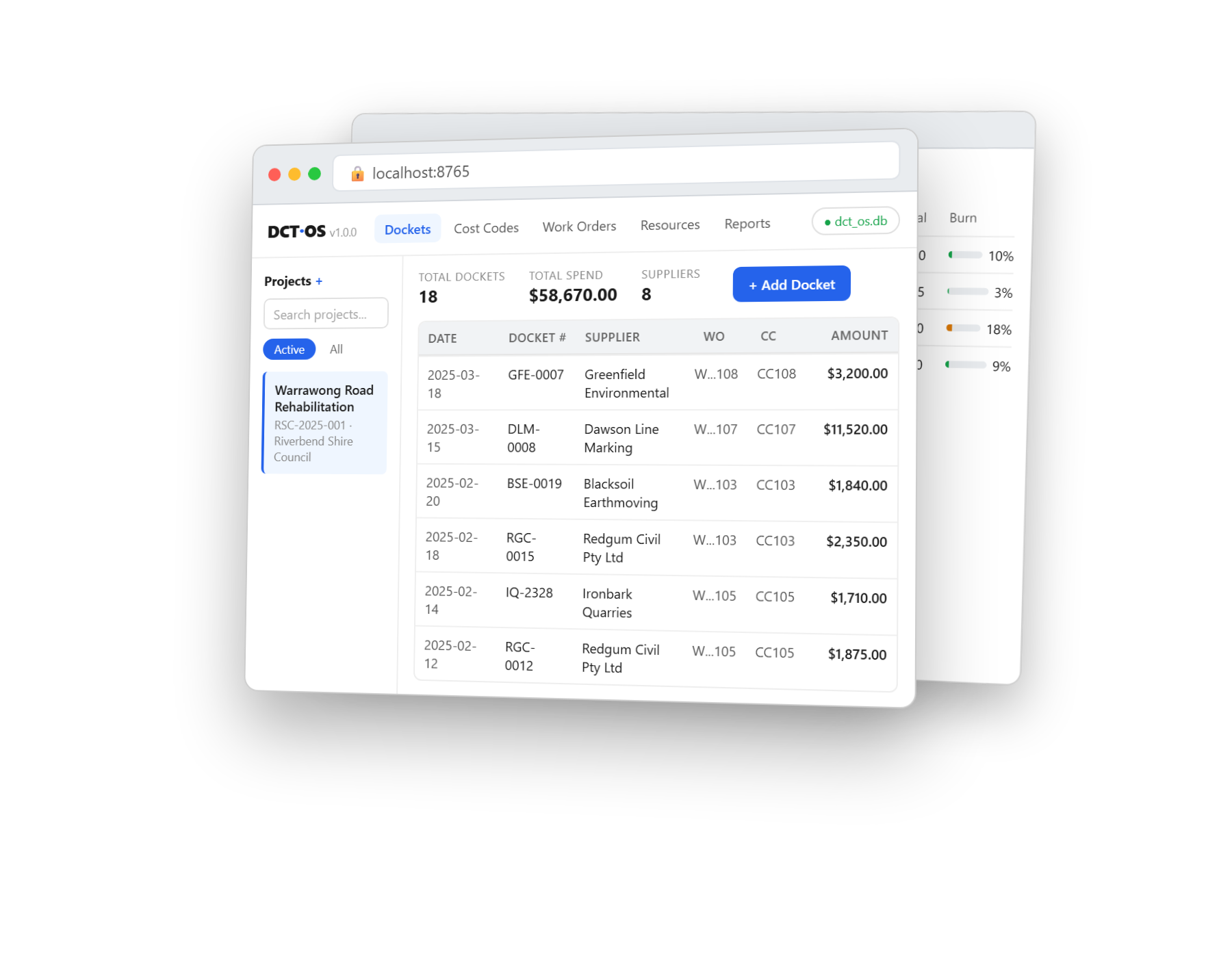
See it in action

Why DCT-OS — the power moves

A quick look at the shortcuts and flow that turn a desk full of dockets into live project cost — see why it's worth it.

What it does

Everything you need to track project cost. Nothing you don't.

No enterprise bloat, no per-seat licence, no two-week onboarding. Open it and start entering dockets.

A cost model that fits the job

Three clear axes — Work Orders for client scope, Cost Codes for your budget, Purchase Orders for committed spend. Every docket line lands in the right place.

Dockets that match the paper

One docket, many lines — exactly like the delivery slip in your hand. Pick plant and labour from your resource list and the detail fills itself in.

Rate review at invoice time

Site dockets carry quantities, not prices. When the invoice arrives, confirm the rates in one screen — and your rate library stays current for next time.

Budgets and burn at a glance

Every cost code shows budget, actual, variance and burn — live, as you enter. No spreadsheet gymnastics, no month-end surprises.

Your rates, your suppliers

Build a resource library with standard rates, and keep supplier names tidy and consistent. Import what you already have in Excel in one click.

Reports built for claims

Summarise spend by supplier, tag what you've claimed, and export clean CSV or Excel — ready for the invoice run or the monthly report.

How it works

From the ute to the budget in three steps

1

Enter the day's dockets

Date, supplier, and the lines off the slip — plant, labour, materials with quantities. Keyboard-driven, seconds per docket.

2

Confirm rates when invoiced

Open the supplier's summary, check the rates against the invoice, and accept. Costs update everywhere instantly.

3

Watch the budget, claim with confidence

Cost codes show live burn; reports group spend for the claim. Export and you're done.

Designed for the way site work actually happens

Most cost software assumes a back-office accountant with time to spare. DCT-OS assumes a busy engineer with a stack of dockets and a budget to protect.

  • Quantities-only docket entry — no prices to guess on site
  • Keyboard shortcuts and autocomplete for fast repeat entry
  • One-click backups, CSV and Excel in and out
  • Open a shared database on your network drive
See it with sample data
Warrawong Road · Cost codes
CC101 — Earthworks62% burn
CC103 — Drainage41% burn
CC105 — Pavement88% burn
Total committed$61,150
Dockets entered19
Free & open

Free for your own projects. Forever.

DCT-OS is source-available under the Business Source License. Run it on every project you like, at no cost — it converts to a fully open licence over time.

Free for internal use

DCT-OS

Install once · runs on your machine
  • Full docket, cost code & PO tracking
  • Rate review, reports, CSV & Excel
  • Your data, your computer, no phone-home
  • Windows, macOS & Linux
Download from GitHub

Need more?

For teams and larger operations
  • Multi-user, hosted, and integrations
  • Rate history and supplier intelligence
  • Document & invoice automation

One tap — no form, no obligation. Just so we can count who'd actually want it.

Try the live demo

A full, working copy of DCT-OS loaded with a sample road rehabilitation project. Click around, enter a docket, run a report — see if it fits the way you work.

Open the demo
This is a shared, public demo. Anything you enter is visible to other visitors and is wiped and reset every evening. Don't enter real project data, client names, or anything confidential.
Watch & learn

See DCT-OS in action

Short, practical walkthroughs — from setting up a project to entering dockets.

Early preview — we're still polishing these
Adding a projectSet up a new job ready to track.
Adding a cost codeBuild your budget structure, one code at a time.
Adding a work orderCapture client scope as work orders.
Adding a purchase orderRecord committed spend against a supplier.
Adding a resourceAdd plant, labour and materials to your rate library.
Adding a docketThe day's plant, labour and materials — straight off the slip.
From the field

What people are saying

Used DCT-OS? Tell us how it went

Your feedback shapes what gets built next.
Your rating
Reviewed before it appears publicly.
Get in touch

Questions, feedback, or a bigger job?

Whether you've found a bug, want a feature, or need something beyond the free edition — we'd genuinely like to hear from you.

hello@dct-os.com

or open an issue on GitHub